Eva

Eva

An AI assistant that sees through your camera, controls your browser and desktop, remembers everything, and learns from experience. Local-first. Open source.

View on GitHub Download AppImage
# Linux or macOS
curl -fsSL https://appatalks.github.io/eva-agent/get-eva.sh | bash
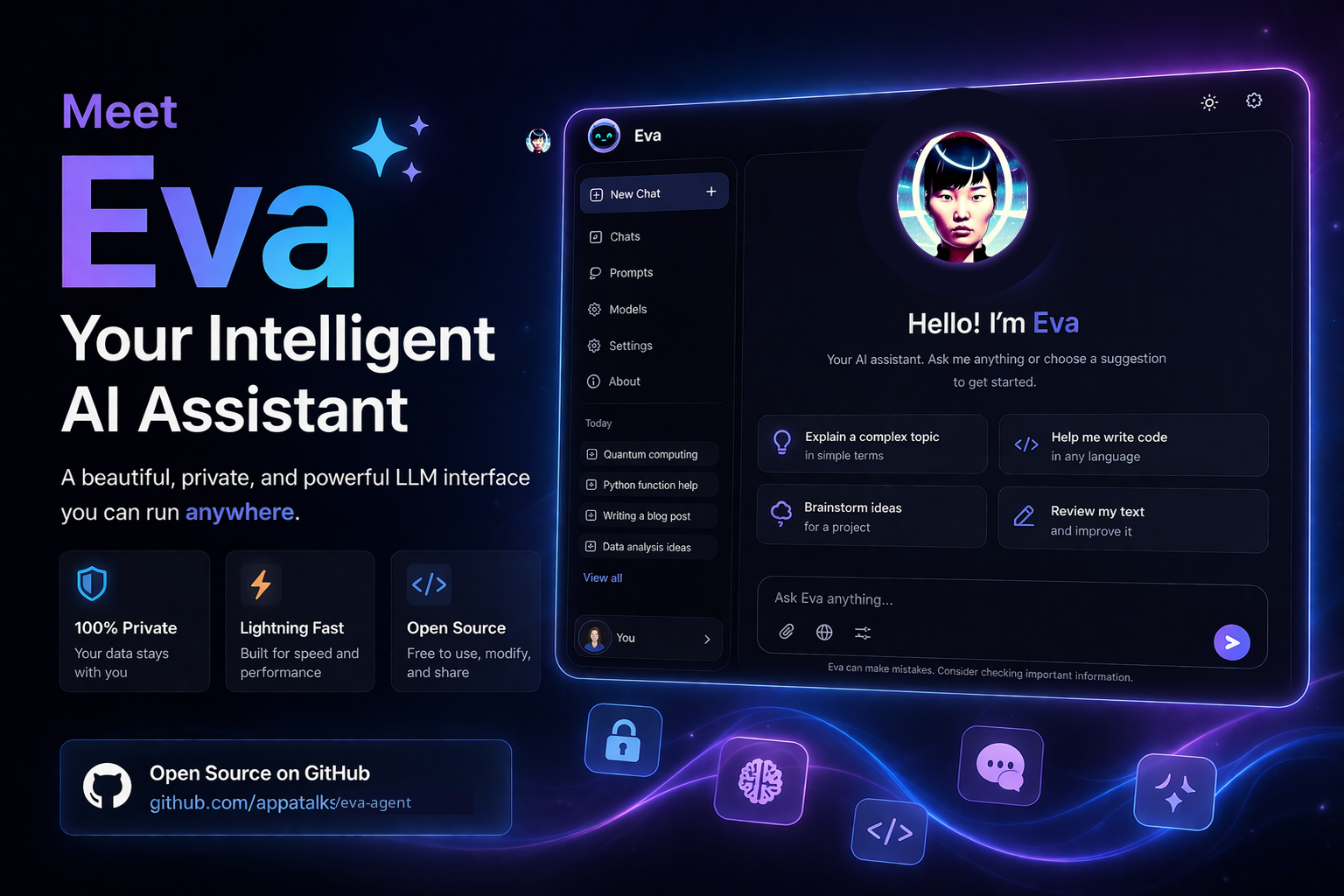
Eva AI Assistant interface preview

Launch Eva

After installing, Eva is available as a system command and shows up in your application launcher.

💻

Terminal

Open any terminal and type:

eva

The installer adds eva to ~/.local/bin. It launches the Electron app if built, or starts the bridge and opens your browser.

🔍

App launcher

Search for Eva in your desktop's application menu (GNOME Activities, KDE Kickoff, Rofi, etc.).

The installer creates a .desktop entry with Eva's icon so she appears alongside your other apps.

What Eva does

Voice, vision, browsing, desktop control, memory, and autonomous task scheduling. No framework, no build step.

👁

Camera vision

Eva sees through your webcam. Face-detection auto-wake, on-demand "look" commands, ambient presence sensing. Frames stay local unless you ask her to describe what she sees.

🌐

Browser agent

Controls a real Chromium browser through the DOM. Persistent login, precise click-by-element, hybrid vision fallback. Shops, fills forms, navigates, pauses for confirmation on purchases.

🖥

Desktop control

Drives your actual mouse and keyboard to operate any application. Focus windows, open apps, click buttons. Optional AT-SPI semantic control via computer-use-linux MCP.

🎤

Voice-first interface

Full-screen voice orb with wake/barge-in, echo management, spoken progress narration. TTS via OpenAI, AWS Polly, browser, or Bark. Eva speaks her results, not just displays them.

🧠

Persistent memory

Local SQLite or Kusto/ADX-backed conversation history, emotion tracking, knowledge graph, and semantic recall. She remembers what you talked about last week and how you were feeling.

📚

Self-improving skills

Auto-extracts reusable skills from successful complex tasks. Skills are stored as drafts for review and applied automatically to matching future requests.

Cron scheduler

Schedule recurring tasks with standard cron expressions. Morning briefings, periodic market checks, nightly reports. Eva runs each prompt through ACP at the scheduled time.

🔀

Parallel subagents

Spawn up to 4 isolated subagent tasks that run concurrently. Results delivered via notifications. Break complex work into parallel streams.

🔌

Multi-provider

OpenAI, Google Gemini, GitHub Copilot, local models via lm-studio. Switch providers from a dropdown. No code changes, no lock-in.

🛡

Doctor diagnostics

Structured readiness report for every subsystem: ACP, browser, desktop, camera, Kusto, cron, cognition. Tells you exactly what's working and what needs fixing.

MCP ecosystem

Azure, GitHub, Kusto, and computer-use-linux MCP servers configurable from the UI. Extend Eva's capabilities with any MCP-compatible tool server.

🎯

Adaptive review

Routine requests stay fast on Eva's selected model. Consequential turns receive a one-pass independent review before delivery.

How it's built

No build step. No framework. Pure HTML, CSS, and JavaScript in the browser, backed by a Python bridge that connects to any LLM provider.

Frontend

  • Vanilla JS, no build
  • Electron AppImage
  • Voice orb + chat UI
  • Settings panel
  • LCARS + Eva themes

Bridge

  • Python HTTP server
  • ACP / Copilot CLI
  • MCP server management
  • AIG orchestrator
  • Cron scheduler

Agents

  • Browser (Playwright)
  • Desktop (PyAutoGUI)
  • Camera (OpenCV)
  • Subagent spawner
  • Cognition pipeline

Storage

  • Azure Data Explorer
  • Kusto/KQL queries
  • Skills in ADX
  • IndexedDB sessions
  • Semantic embeddings

Eva vs the field

A capability snapshot based on publicly documented product features. MCP and custom integrations can extend several products beyond their built-in experience.

Eva Hermes Agent ChatGPT Desktop Claude Desktop GitHub Copilot app
Open sourceYes (MIT)Yes (MIT)NoNoNo (public repo)
Camera/visionBuilt-inNoNoNoNot documented
Browser automationBuilt-in (DOM + vision)Via MCPNoVia MCPVia MCP
Desktop controlBuilt-in + MCPVia MCPNoVia MCPVia MCP
Voice interfaceFull voice viewTranscription onlyYesNoNot documented
Self-improving skillsAuto-learnYesNoNoCustom skills
Scheduled tasksCronCronNoNoAutomations
Persistent memoryLocal SQLite or Kusto/ADXFTS5 + filesLimitedLimitedSession history
Offline/local operationLM Studio + direct MCPSelf-hosted + local modelsCloud serviceCloud serviceLocal workspace, cloud models
Memory deployment choiceLocal SQLite or ADXLocal FTS5 + filesManagedManagedSession history
Multiple local user profilesSeparate sessions + settingsUser modelingAccount-basedAccount-basedAccount-based
Outbound messagingSignal deliverySignal + 5 other channelsNot documentedSlack integrationNot documented
Local voice cloningAutomatic English/Korean + imported profilesTTS + transcriptionVoice conversationsNot documentedNot documented
Generated files & artifact workspacePDF/MD/CSV/JSON/TXT + AssetsVia tools/filesystemDownloadable filesCreates filesCanvases + workspaces
System diagnosticsSubsystem doctorHermes doctorNot documentedNot documentedDebug logs
Review/validation loopConfigurable Eva + ReviewerDelegated agentsNot documentedNot documentedBuilt-in validation loop
Multi-provider4+ providers200+ modelsOpenAI onlyAnthropic onlyMulti-model + BYOK
No build stepYespip installN/AN/ADesktop install

Ready to try it?

One command. No API keys required to start.

Get started Report an issue